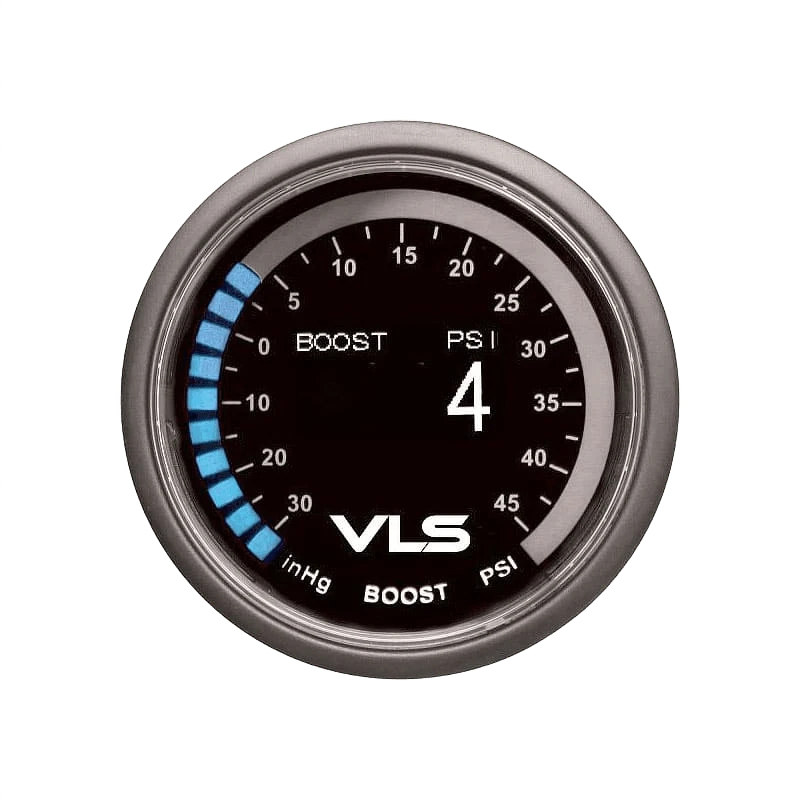
Revel® - VLS™ 2-1/16" Digital OLED Boost Gauge, 30inHg-45PSI
Universal VLS™ Boost Gauge by Revel®. Diameter: 2-1/16". Display Type: Digital OLED. Pressure Range: 30inHg-45PSI. The Revel VLS Boost gauge monitors both vacuum from 30 inHG and boost pressure up to 45 PSI.
The OLED screen allows for easy readings from any viewing angle, and a 30 LED outer ring for viewing at a quick glance. This kit is included with the boost sensor for a simple installation process. The Revel VLS Boost gauge is daisy-chain compatible with the VLS Water Temperature gauge, VLS Oil Temperature gauge, VLS Oil Pressure gauge, and VLS Voltage gauge.
Includes:
- (1) Boost Gauge 2 1/16 in. (52mm)
- (1) Power Harness
- (1) Boost / Vacuum sensor and wiring harness
- (1) Mounting Pod
- (1) Sun Shade (hood)
- (1) 3M double sided tape
- (2) Mounting Bracket Threaded Extension
- (2) Washers
- (2) Nuts
- (1) Mounting Bracket
This product may be purchased from CARiD.com.
We accept the following payment methods:

To replace this text with your store's actual info on payment methods, go to "Design -> Menus & Pages -> Product Page Tabs" and edit the Payment methods page.
Here you can provide information as to what products can be returned, how many days your customers have to return their purchase, whether they will receive a refund in the original form of payment, a replacement or a store credit, who pays for the shipping of the previously purchased products to the store, and so on.
To replace this text with your store's actual return policy, go to "Design -> Menus & Pages -> Product Page Tabs" and edit the Return Policy page.